
×
Advanced Product Search Menu

ToughArmor MB201E5P-B

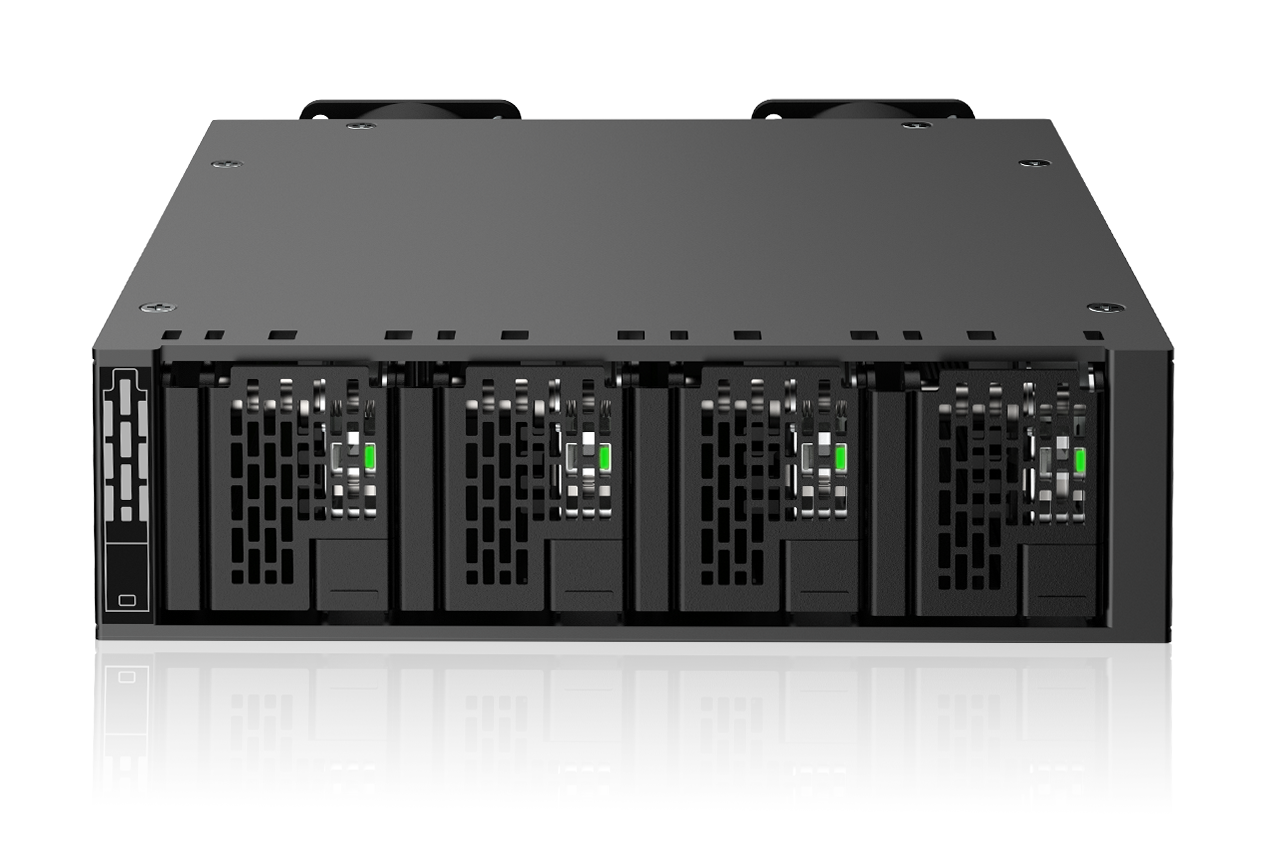
4-Bay E1.S NVMe SSD Mobile Rack for 5.25" Bay (2 × MCIO 8i SFF-TA-1016)
Product Details
  • Four Removable PCIe Gen5 E1.S SSDs in a Single 5.25" Bay
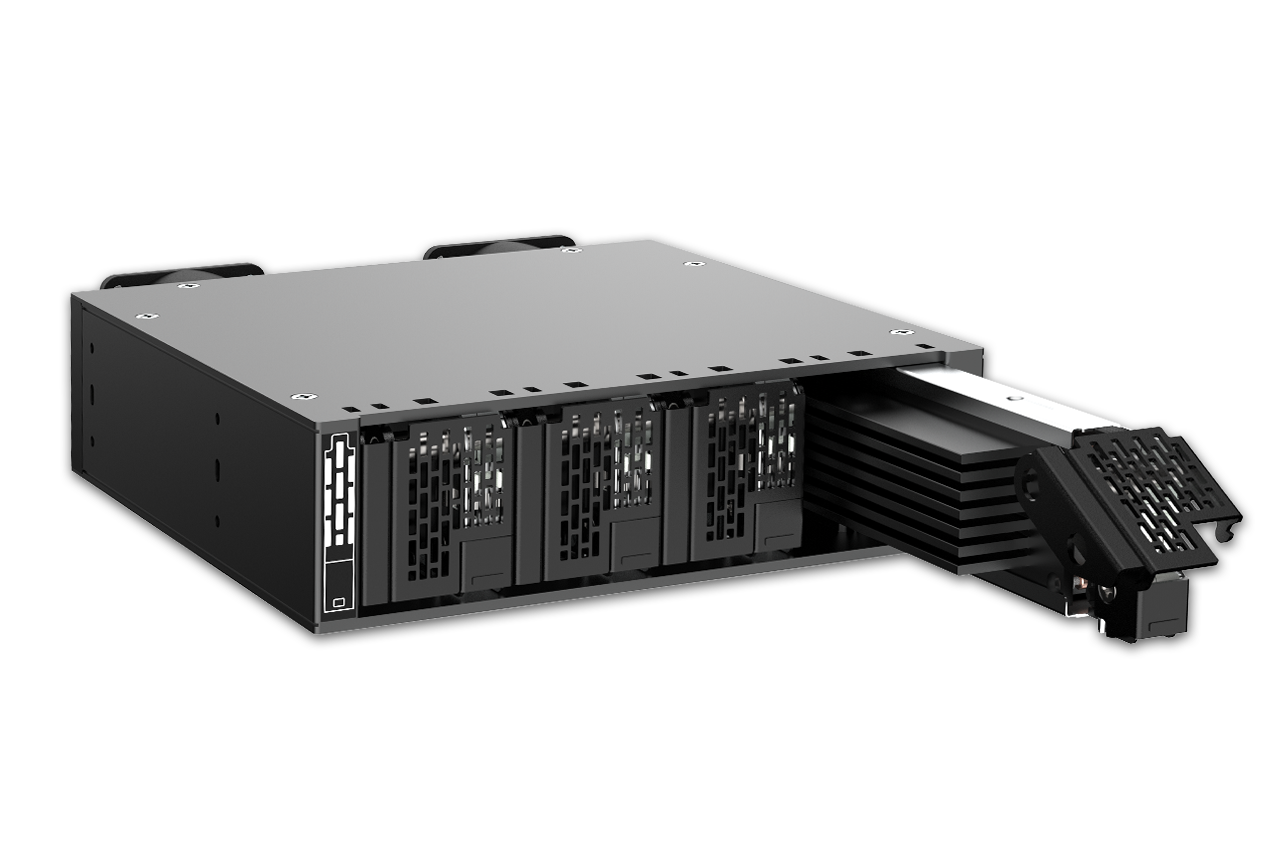
    The ToughArmor MB201E5P-B is a 4-bay removable E1.S NVMe SSD mobile rack designed to accommodate four enterprise-grade E1.S SSDs within a single standard 5.25" drive bay. Supporting 9.5mm, 15mm, and 25mm E1.S SSDs, it provides system integrators with flexible storage options while maintaining front-accessible drive maintenance without opening the computer chassis.

    Featuring tool-less SSD installation, removable full-metal drive trays, PCIe 5.0 x4 connectivity, and dedicated active cooling, the MB201E5P-B is designed for enterprise servers, high-performance workstations, industrial computing systems, and other applications requiring fast and serviceable NVMe storage.
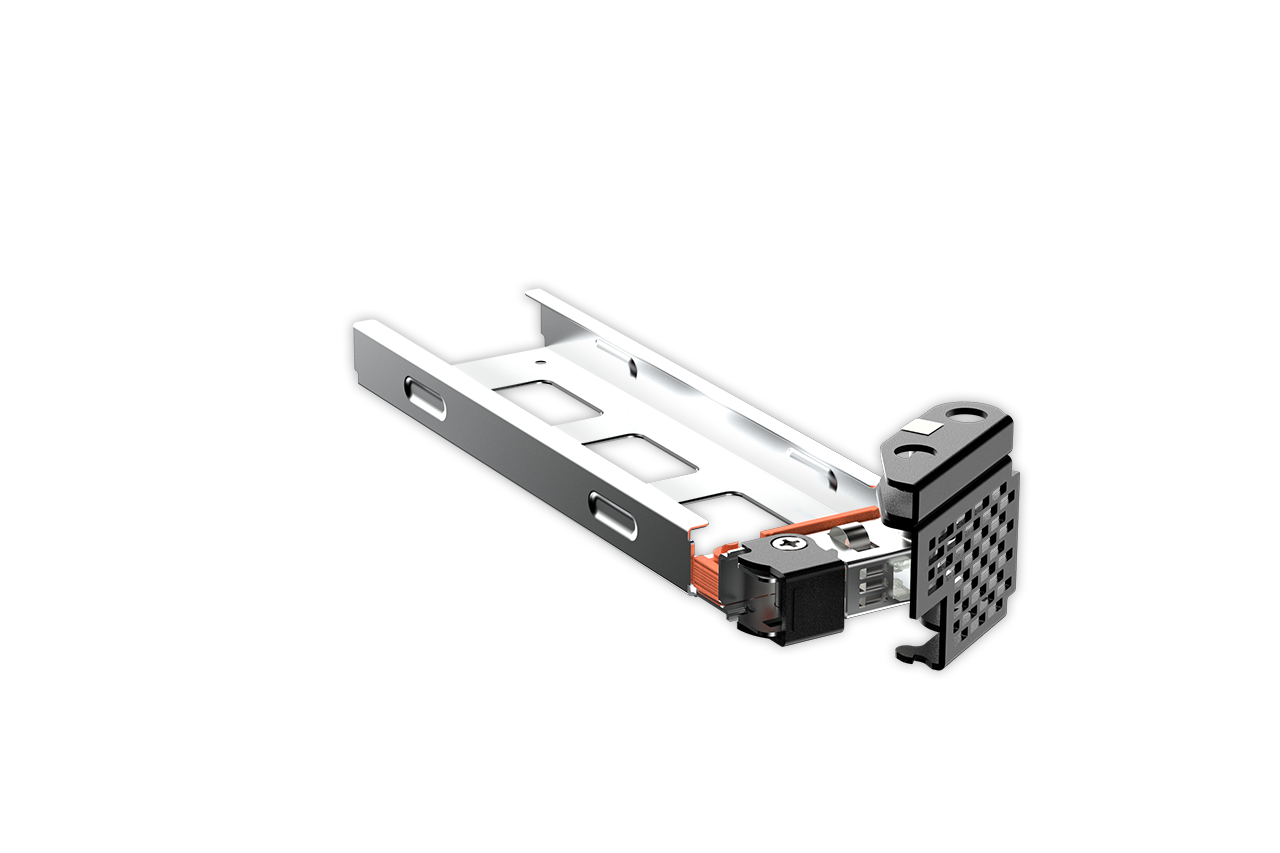
  • Tool-Less Removable Trays for Multiple E1.S SSD Heights
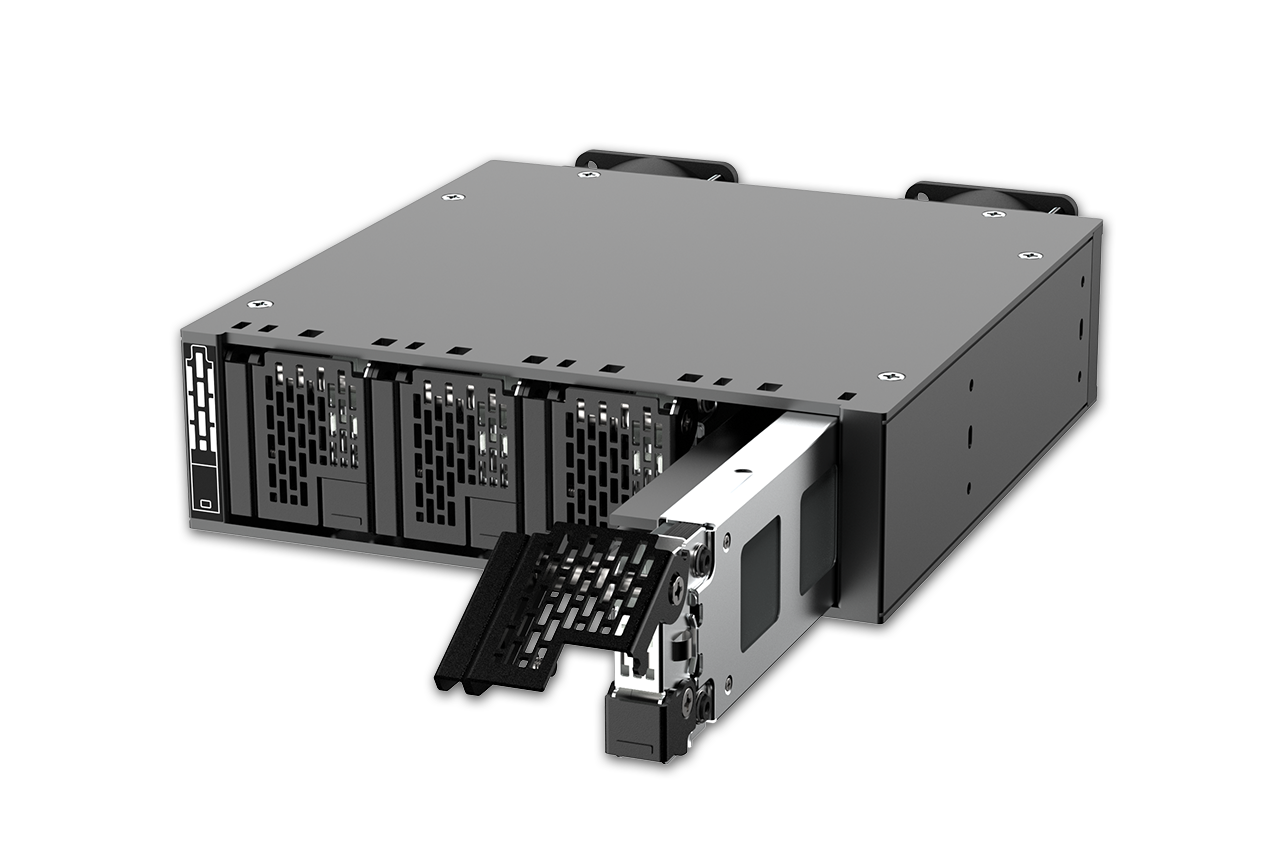
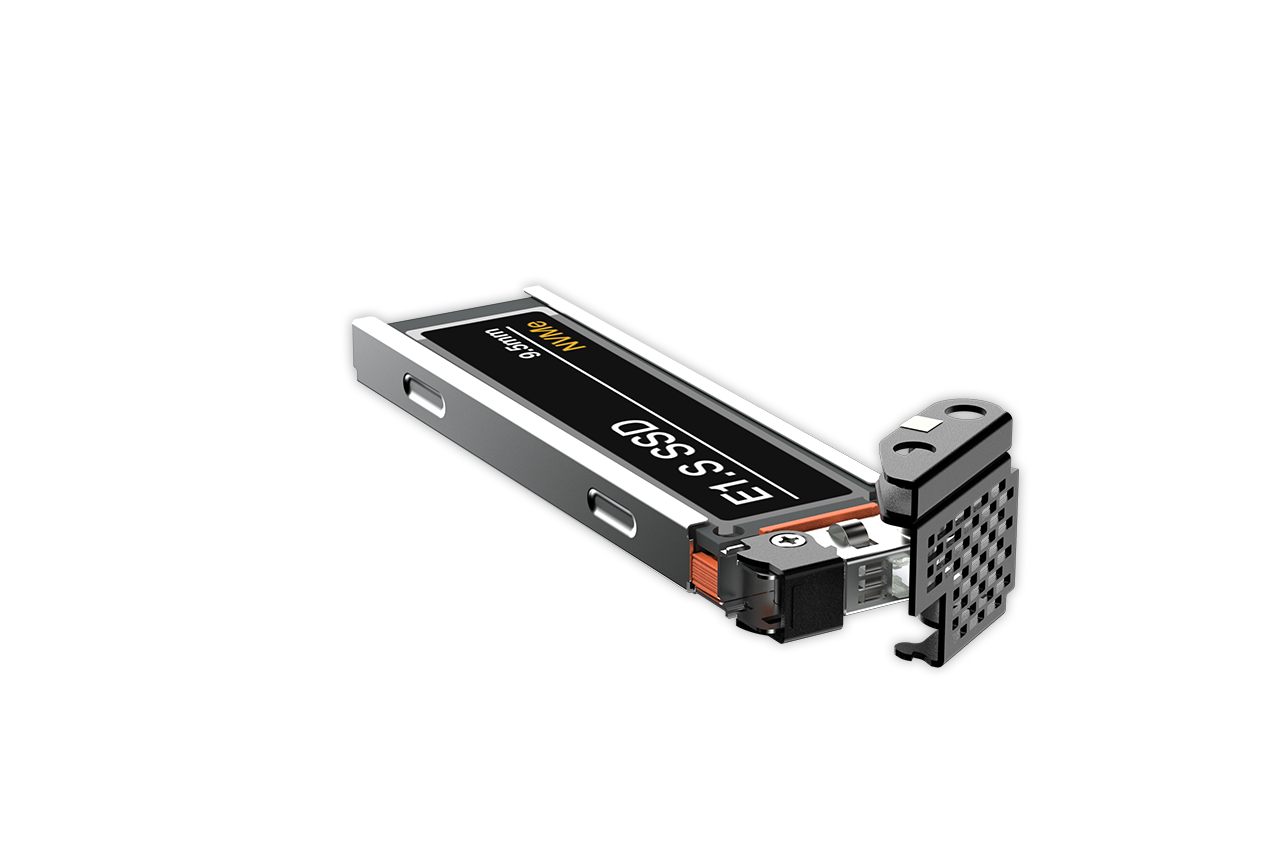
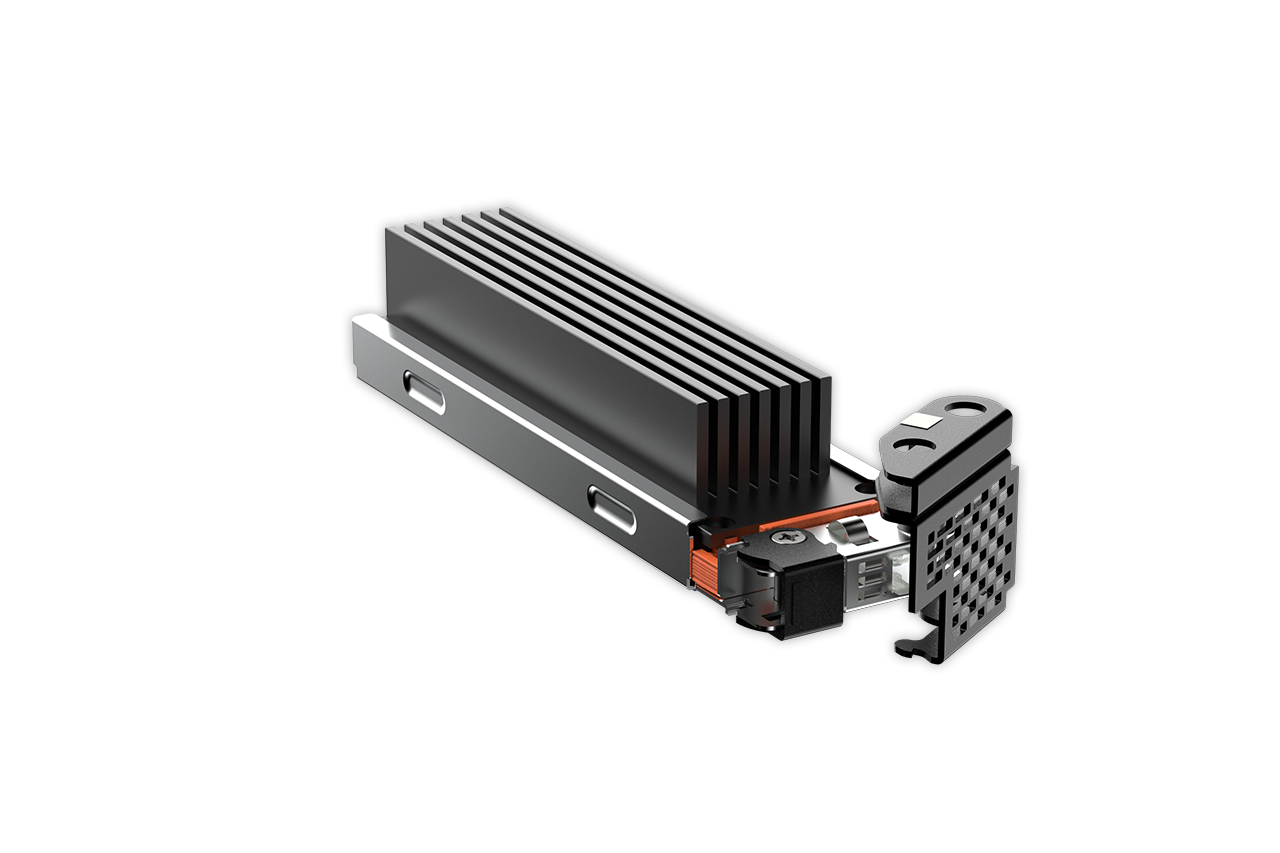
    The MB201E5P-B features removable metal drive trays that support 9.5mm, 15mm, and 25mm E1.S NVMe SSDs, accommodating a broad range of enterprise storage configurations.

    Its tool-less SSD mounting mechanism allows drives to be installed or removed without screws, reducing the time required for SSD maintenance, upgrades, and replacement. The front-accessible tray design also simplifies drive servicing in rackmount and workstation environments where opening the chassis may be inconvenient.
  • PCIe Gen5 Performance with Dual MCIO 8i Connectivity
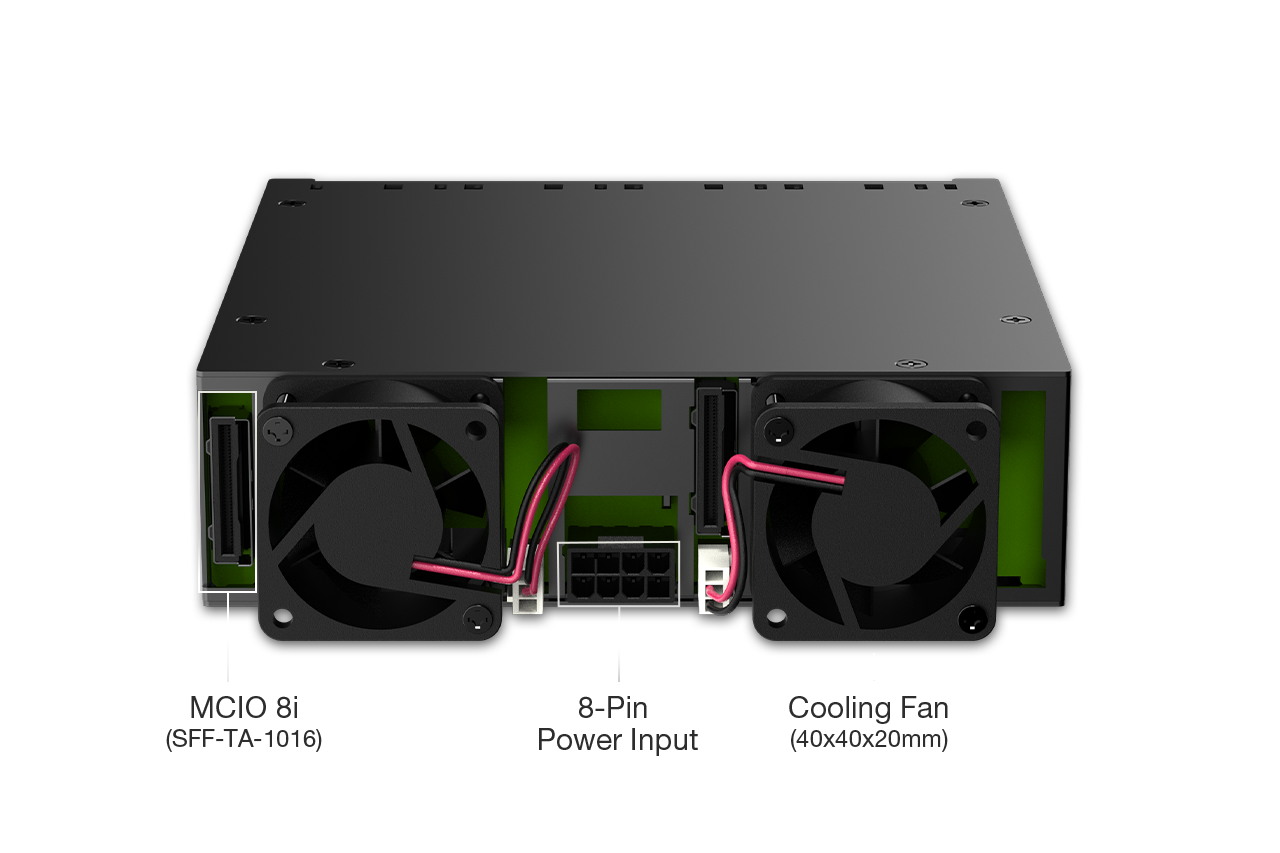
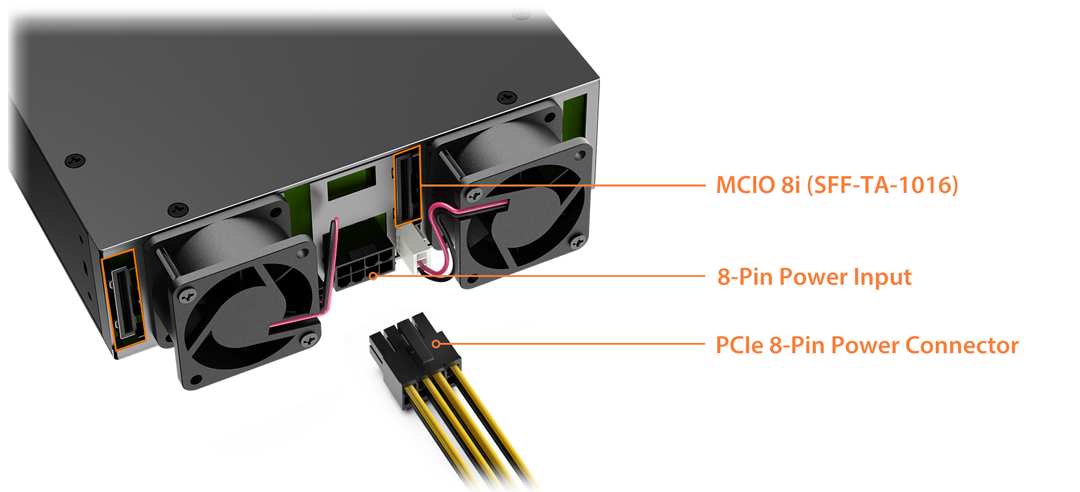
    The MB201E5P-B supports PCIe 5.0 x4 bandwidth of up to 128Gbps per SSD through two MCIO 8i (SFF-TA-1016) host connectors. Each MCIO 8i interface provides connectivity for two PCIe x4 SSDs, enabling four independent high-speed NVMe storage connections.

    With its PCIe Gen5 interface and dedicated PCIe 8-pin power input, the MB201E5P-B provides a practical storage expansion solution for systems requiring multiple high-performance enterprise SSDs.
  • Designed for Enterprise, AI, and Professional Storage Applications

    The four-drive E1.S configuration provides a balance of storage density, drive flexibility, and serviceability, making the MB201E5P-B suitable for a variety of professional computing environments.

    • AI / ML Workstations: Deploy multiple NVMe SSDs for local datasets, model files, scratch storage, and data processing workloads.
    • Media Production and Post-Production: Support high-speed storage for video editing, rendering, media processing, and project data management.
    • Industrial and Edge Computing: Integrate removable enterprise SSDs into systems requiring local data storage and convenient drive maintenance.
    • Enterprise Storage and SSD Validation: Build multi-drive NVMe configurations for storage testing, SSD qualification, and system development.

    The removable tray design is particularly useful for environments where SSDs must be regularly accessed, exchanged, or serviced.
  • Dual-Fan Cooling with Directed Airflow Design
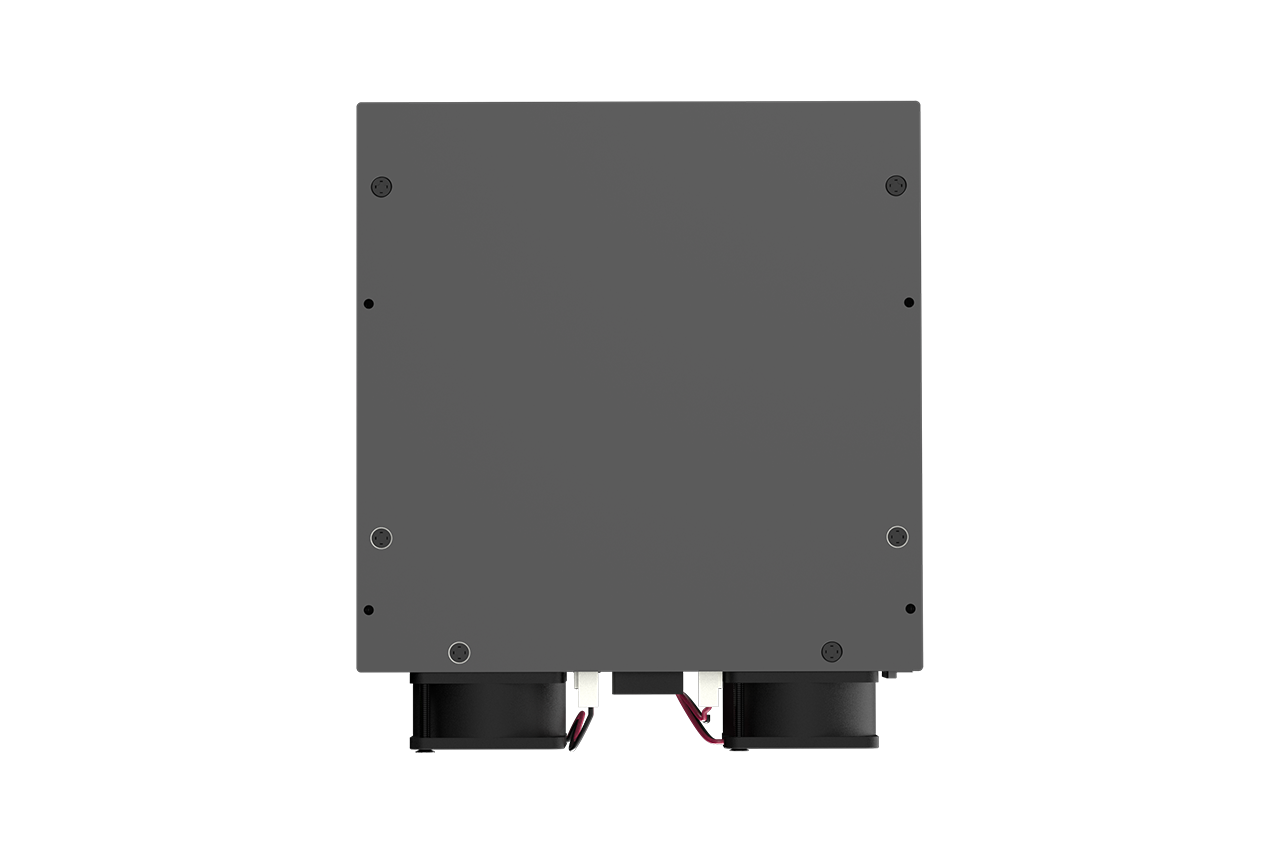
    To support the thermal requirements of PCIe Gen5 E1.S SSDs, the MB201E5P-B features two detachable 40 × 40 × 20mm cooling fans and a ventilated full-metal enclosure.

    Four foam sealing strips (two per fan) are positioned between the fan assembly and the PCB to help reduce airflow bypass and guide cooling air along the intended path.

    The detachable fan design also simplifies cooling system maintenance and replacement.
  • Full-Metal Construction and Secure Drive Access
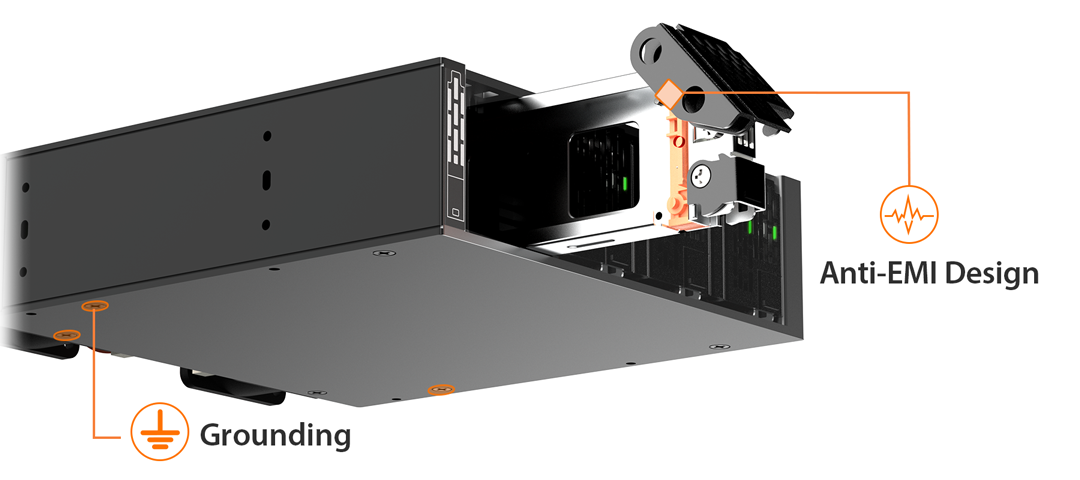
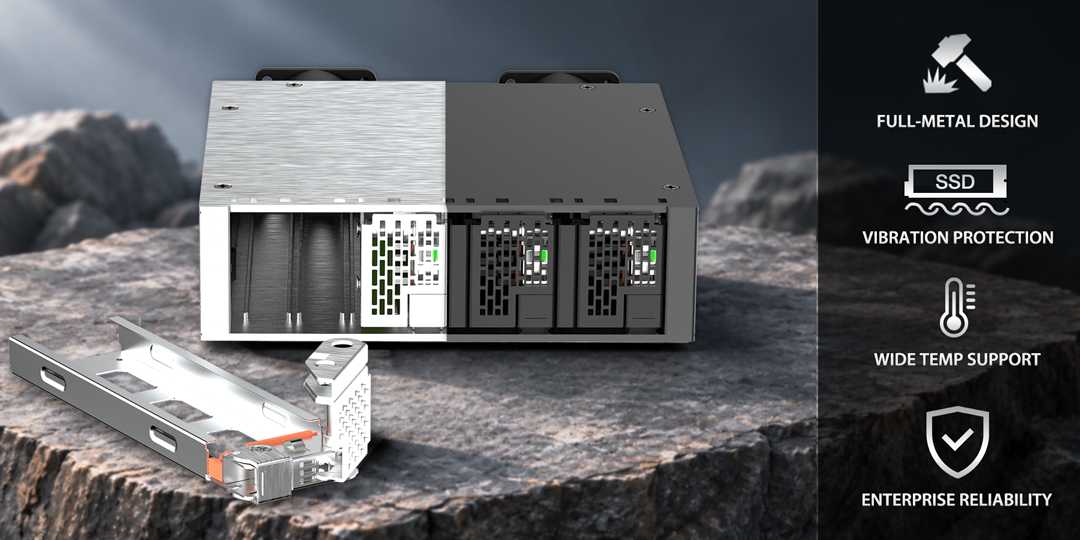
    Built with ToughArmor's rugged full-metal housing and removable metal drive trays, the MB201E5P-B provides mechanical protection and structural rigidity for enterprise and industrial computing environments. Its metal enclosure also incorporates EMI shielding and grounding features to help reduce electromagnetic interference.

    For drive security, the integrated two-segment metal key lock secures all four drive trays together, helping prevent unauthorized drive removal. The Eagle-Hook tray latch mechanism provides additional retention to reduce the risk of accidental tray release during operation.
  • Enterprise-Ready ToughArmor Construction and Reliability Features
    Built with a rugged full-metal enclosure, MB201E5P-B is engineered for durability in enterprise environments. Front status LEDs provide quick at-a-glance monitoring, with green indicating power and activity.

    Integrated grounding points help reduce EMI interference between the enclosure and chassis, supporting stable operation in signal-sensitive systems and professional deployments.
  • To simplify your upgrade process even further, visit our
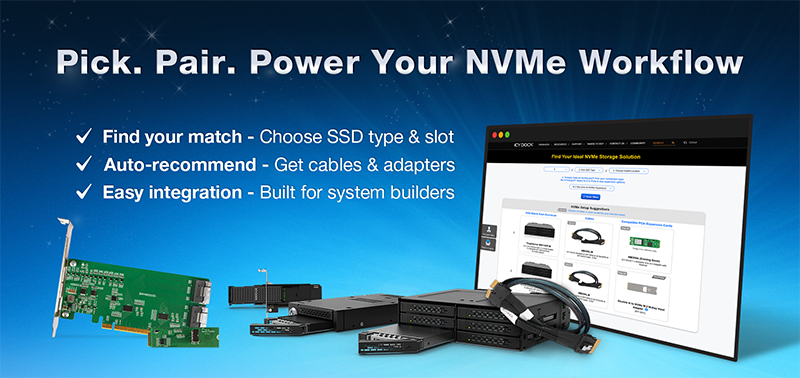
    NVMe Storage Selection Tool - an interactive guide that helps you find compatible mobile racks, cables, and adapters based on your system's NVMe slot type and installation needs.

    Perfect for system integrators and DIY users alike, it eliminates the guesswork from building your ideal removable NVMe storage solution.
Main Features
• Supports 4 x E1.S (EDSFF) NVMe SSDs with 9.5mm, 15mm, or 25mm thickness
   
• Fits a single standard 5.25" external drive bay
   
• PCIe 5.0 x4 bandwidth up to 128Gbps per SSD (depending on SSD and host performance)
   
• 4x MCIO 8i (SFF-TA-1016) ports; pin-out defined by SFF-9402 Rev 1.1
   
• 1 x PCIe 8-pin power connector
   
• Removable full-metal drive trays with tool-less SSD installation
   
• Front-accessible drive trays for easier SSD maintenance and replacement
   
• Supports hot-plug drive operation when supported by the host system
   
• Dual 40x40x20mm cooling fans with optimized airflow path, supporting ASHRAE A2 thermal design targets
   
• Rugged full-metal housing and drive trays with EMI shielding and grounding design
   
• Eagle-Hook tray latch design to help prevent accidental release
   
• Individual green LED indicators: solid green for power and flashing green for drive activity
   
• Active Power Technology (APT) controls fan and LED operation based on drive presence
   
• Operating temperature: 0°C to 70°C (32°F to 158°F)
   
• 5-year limited warranty
Specification
Model Number: MB201E5P-B
Color: Black
Support Drive Size: 9.5mm/15mm/25mm E1.S SSD
Compatible Drive Type: E1.S SSD
Number of Drives: 4
Drive Bay: 1 x 5.25" bay
Host Interface: 2 x MCIO 8i (SFF-TA-1016)
Power Input: 1 x PCIe 8 pin power connector
Transfer Rate: PCIe 5.0 x4 up to 128Gbps
Support SSD Capacity: No limitation
Drive Cooling: 2 x 40 x 40 x 20mm fan
Hot Plug: Yes
Structure / Material: Full metal
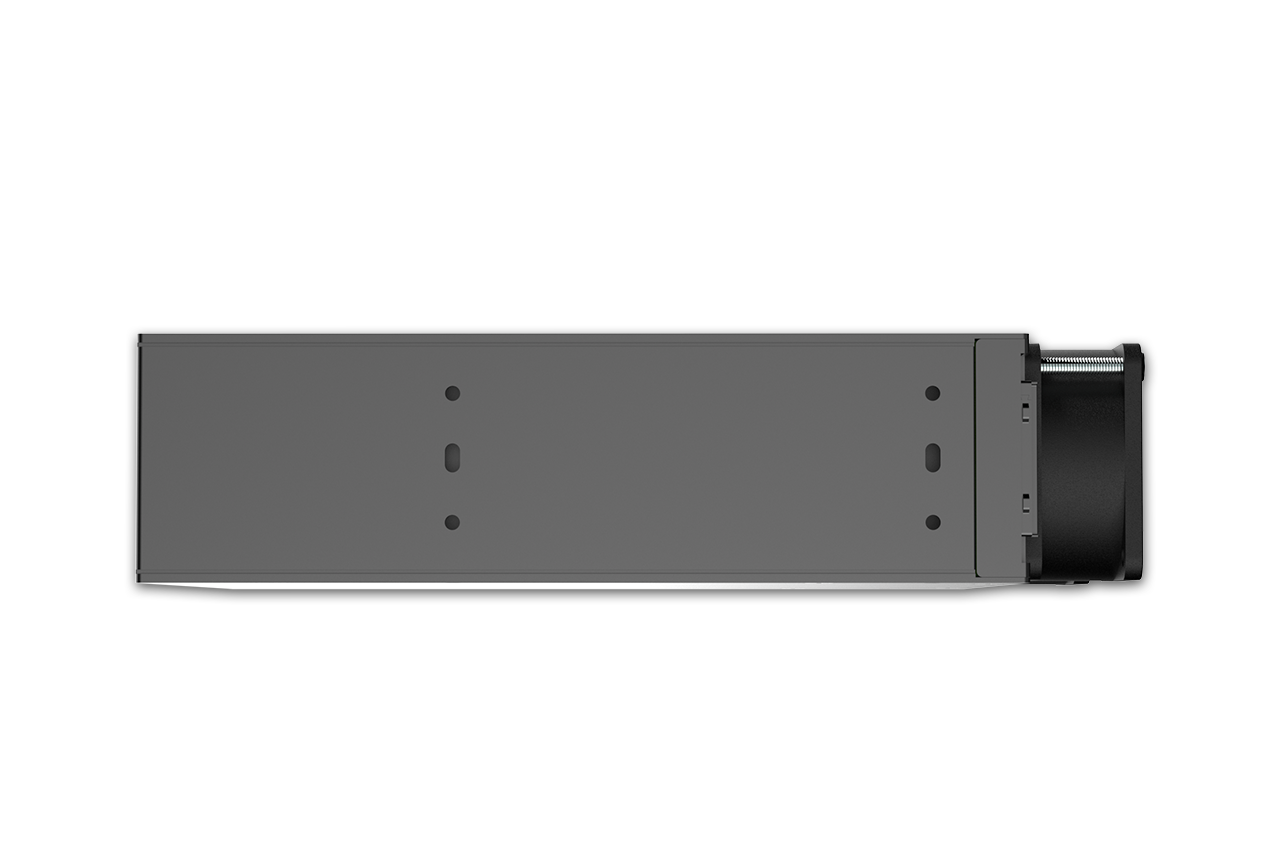
Dimension (W x H x D): 146 x 41.2 x 168.7 mm
Product Net Weight: 686.8g
Package Gross Weight: 869.1g
Drive Activity LED Indication: Device power: solid green; Drive access: flashing green
Operating Voltage: 12V
Power Consumption (SSD excluded): 3.36W
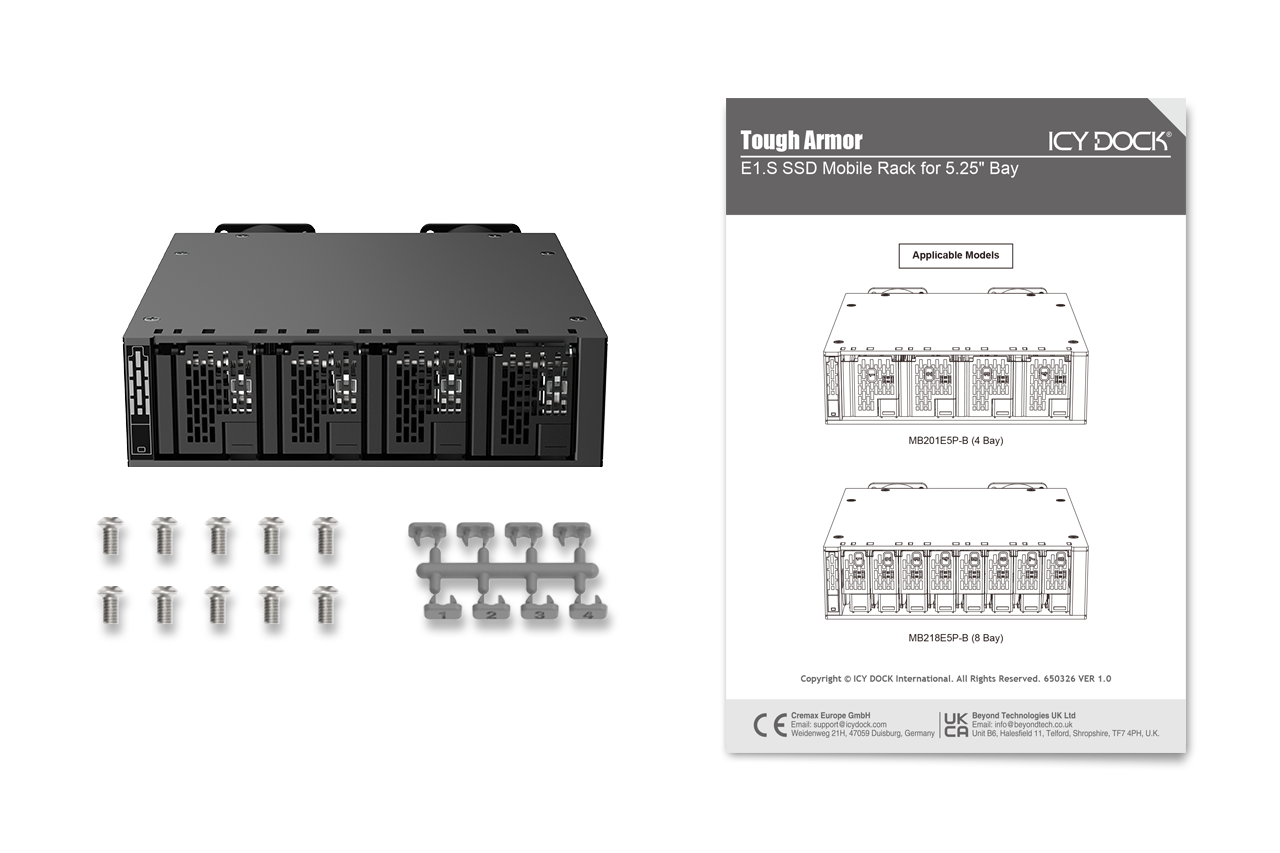
Package Contents: Device, user manual, screws, ID plugs
Connector Insertion Rate: 5,000
Humidity: 5%~65% RH
Operating Temperature: 0°C to 70°C (32°F to 158°F)
Storage Temperature: -35°C to 75°C (-31°F to 167°F)
Compliance: CE, UKCA, RoHS, REACH
Warranty: 5 years limited warranty

Compatible Drive Tray (Caddy):

  • MB218TP-B

Related Products:

FAQ

Q: Why does my new NVMe SSD show performance degradation or inconsistent behavior when connected through a PCIe adapter mobile rack?

A: High-speed PCIe devices, such as NVMe SSDs, require precise and stable signal integrity to operate correctly. If your NVMe SSD is connected via a PCIe adapter mobile rack that is inserted into a CPU-connected PCIe slot far from the CPU, the longer motherboard traces can increase the risk of signal degradation. This degradation can cause your NVMe SSD to experience performance drops, instability, or inconsistent behavior.

To ensure optimal performance, it is strongly recommended to install the PCIe adapter mobile rack into a PCIe slot closest to the CPU. Doing so minimizes the physical distance for signal transmission, significantly reducing the potential for signal degradation and ensuring stable, consistent performance and expected transfer speeds.


Q: The system does not detect the E1.S SSD I installed in the ICY DOCK enclosure. What should I do?

A: Since the motherboard and operating system may not support hot-swapping, if their compatibility has not been confirmed, we highly recommend powering off the device/system before inserting or removing an E1.S SSD.

If the system is still unable to detect the drive after installation, please follow the steps below to manually scan for new hardware:


Windows 11 / Windows 10 / Windows 8 – In the search box on the taskbar, type device manager, and click it from the menu. Once the device manager window pops up, right-click on the disk drive icon, and click scan for hardware changes.


Windows 7 – Right-click on the computer icon on the desktop, select properties, click device manager, right-click on the disk drive icon and then click scan for hardware changes.
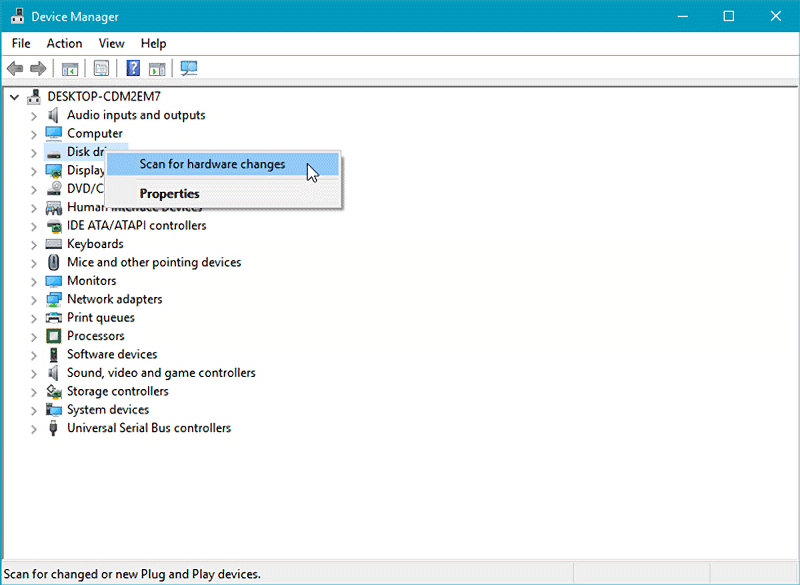

Image result for disk drive scan for hardware changes


Q: Can I control the amber LED on E1.S SSD?

A: MB201E5P-B does not support control of E1.S SSD amber LED.

Advanced Product Search Menu
SUBMIT CLEAR CANCEL
Can’t find any suitable products? Submit your requestHERE
We use cookies in order to give you the best possible experience on our website.   More Info
Understood
Online Retailers